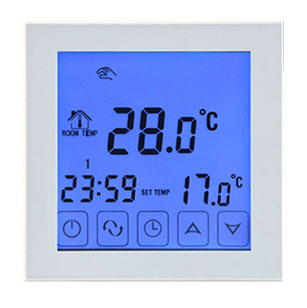
A touch screen thermostat for the EkoBuild Ribbon. Set the temperature and your daily schedule on the panel itself. No WiFi, no app, nothing to reconnect. One per heated zone.
Use the thermostat to set the temperature and schedule around how the room is used. Actual electricity use depends on heat loss, floor construction, settings and how long the thermostat calls for heat.
Everything is set on the panel itself, without WiFi or an app. Plan one thermostat per named zone, with at most 20m² of fitted Ribbon per control and at least two zones for a kitchen-diner. Solar gain and room use can affect the zone layout. An electrician must confirm the controller rating, connected load and wiring.
No. It is a touch screen thermostat, set on the panel itself.
No. Everything is set on the thermostat itself, so there is nothing to connect and no app to keep working.
It is the touch screen thermostat supplied for the Ribbon. A qualified electrician must verify the controller label, supplied sensor, connected load, protection and wiring for your installation.
Use the free Room Designer to map your room and get the whole-mat layout and stock estimate, or talk to Russell for a hand.
Use the instructions supplied with your controller. If you need a copy or help identifying it, contact EkoBuild with the model shown on the controller or its packaging. Instructions for another brand or model may not apply. Have electrical connections, sensor selection and commissioning checked by a qualified electrician.